
Mark Smith
· 12 min read
What Microsoft ISV Success taught me about tenant design
Microsoft ISV Success gave us useful cloud benefits, but assembling them into one clean development tenant exposed avoidable setup gaps.
Microsoft ISV Success gave us valuable Azure and Microsoft 365 benefits, but turning them into one clean AI development environment was far harder than it should have been.
Key takeaways#
Key takeaway
- Establish the Microsoft 365, Entra, and Azure tenant design before redeeming any benefit.
- Do not assume a Microsoft 365 E5 developer subscription includes Microsoft 365 Copilot.
- Treat an instant sandbox and a clean configurable sandbox as materially different environments.
- Azure budgets are alerts, not hard spending limits.
I enrolled in Microsoft ISV Success to build an AI product for Microsoft 365. I expected the setup to be straightforward: create an isolated development tenant, attach the Microsoft benefits to it, and start building.
Instead, the hardest part of the first stage had almost nothing to do with AI or software development. It was working out which tenant owned what, why the Azure credits had been activated before the Microsoft 365 sandbox existed, whether we could get a genuinely clean environment, and which kind of Copilot licence was actually included.
The benefits are valuable. The experience of assembling them into a coherent independent software vendor (ISV) development environment was far more frustrating than it needed to be.
What we were trying to create#
Our requirement was not unusual for an ISV.
We needed one isolated research and development environment containing:
- a Microsoft 365 developer tenant;
- the matching Microsoft Entra directory;
- an Azure subscription funded by the ISV Success sponsorship;
- SharePoint, Microsoft Graph, and Teams for product integration testing;
- Azure Functions and Azure AI Foundry for the application services; and
- Microsoft 365 Copilot for the final grounded-AI acceptance tests.
The important phrase is one isolated environment.
Our production Cloverbase tenant already contains real identities, policies, applications, and business data. It is not an appropriate place to prove a repeatable customer deployment. We also did not want Azure in one research tenant and Microsoft 365 in another. That would introduce cross-tenant identities, consent, permissions, billing, and deployment dependencies that our product does not need.
The correct design was one clean Microsoft 365, Entra, and Azure tenant boundary that resembled the environment we would eventually deploy into for a customer.
The credits arrived before the destination#
Microsoft describes ISV Success as a programme for software companies building business-to-business applications on Microsoft Cloud and intending to publish through Microsoft Marketplace. The core benefits include USD 5,000 in Azure sponsorship, a Microsoft 365 E5 developer subscription, developer tools, and technical consultations.
That is a useful package. The problem was the order in which we encountered it.
We activated the Azure sponsorship before the final Microsoft 365 development tenant had been established. The subscription therefore landed in the existing Cloverbase tenant. It was a valid Azure subscription with valid credits, but it was in the wrong identity boundary for the product.
This created an avoidable sequence of work:
- Keep the new subscription empty so we did not build in the wrong tenant.
- Resolve the Microsoft 365 sandbox problem.
- Confirm whether moving the Azure subscription would preserve the sponsorship.
- Transfer the subscription to the new development directory.
- Re-establish administrator access and verify the credit balance after the transfer.
- Only then begin deploying resources.
Nothing in that list improved the product. It was administrative recovery caused by deciding the billing benefit before deciding the tenant architecture.
The lesson is simple: tenant first, benefits second.
Why a clean tenant mattered#
Microsoft offers an instant sandbox because it gets a developer into Microsoft 365 quickly. It includes test users, Microsoft 365 services, and sample data that simulate an organisation. That is useful for tutorials, demonstrations, and application experiments.
It was not what we needed.
We wanted to validate deterministic infrastructure-as-code deployment into an empty environment. A clean tenant gives us a known starting state. Every identity, group, permission, application registration, SharePoint site, and policy can be traced back to our deployment process.
That matters for several reasons:
- Deployment provenance: we need to prove exactly what our installer created.
- Least privilege: Graph and SharePoint permissions must be tested without inherited or pre-existing access hiding a mistake.
- Repeatability: the same deployment should produce the same outcome in another customer tenant.
- Negative testing: an identity deliberately given no access must remain unable to retrieve protected content.
- Governance evidence: audit records and security controls are clearer when the environment does not contain unexplained seeded objects.
- Customer confidence: a product designed for customer-owned tenants must be tested in conditions that resemble a controlled customer deployment.
This is not an objection to sample data. It is an objection to having sample data and a preconfigured identity model as the only practical path for a product that needs clean-room deployment evidence.
The sandbox option that was not really an option#
Microsoft's public sandbox setup guide describes two choices for qualifying members: an instant sandbox with sample users and data, or a configurable sandbox with a custom domain name and an empty starting state.
In our account, the configurable route was unavailable. The portal produced an activation error, so we opened a support case. We reproduced the problem, supplied screenshots, and completed browser and developer traces for Microsoft support.
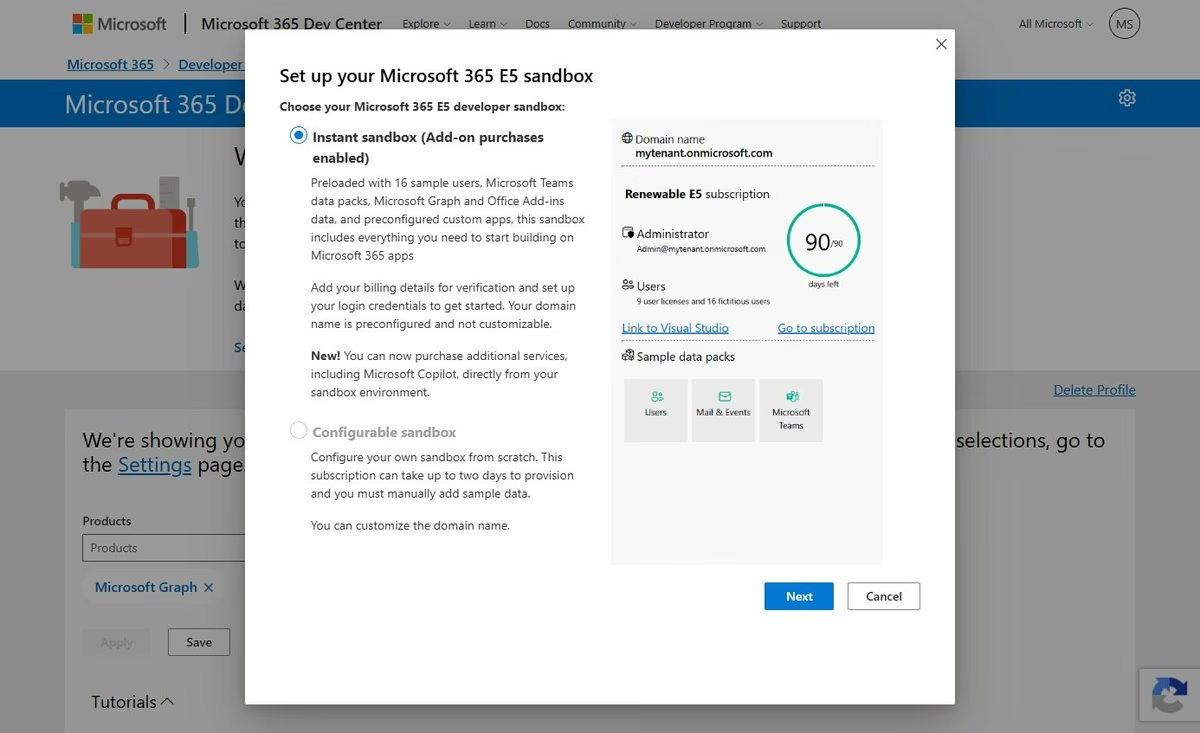
The confusing part was that the portal behaviour, the documentation we were seeing, and the support outcome did not remain consistently aligned. At points during the case, Microsoft's material appeared to emphasise the instant sandbox route, while other current guidance still described a configurable sandbox. The option existed in the documentation but was not a working option for us.
We explained why an ISV needed an empty tenant and asked for either the configurable sandbox or an equivalent clean environment. The final answer did not provide that route. Continuing to debate it was not going to get the product built, so we accepted the only practical option available to us.
That left us with a system-generated tenant domain rather than the meaningful development domain we had intended. The domain could not be edited after creation. It works technically, but it is not the clean onboarding experience we expected from a programme intended to accelerate ISV development.
The Copilot licence gap#
The next surprise was licensing.
The ISV Success core package gave us 25 Microsoft 365 E5 developer seats. It did not give our benefit set Microsoft 365 Copilot developer licences.
That distinction is easy to miss because several products contain the word Copilot. GitHub Copilot, Copilot Studio, Microsoft 365 Copilot, and Copilot Chat are not interchangeable benefits.
Our product uses SharePoint and Microsoft Graph as the governed knowledge layer, with Microsoft 365 Copilot as an employee experience. We can build and validate much of the foundation without a Copilot licence: tenant configuration, SharePoint permissions, the Azure worker, identity controls, audit evidence, and the Foundry-based steward experience.
But the final acceptance tests include organisational-data grounding and the native Microsoft 365 Copilot user experience. Microsoft's Copilot development prerequisites say that accounts testing agents grounded on organisational data or using enhanced capabilities need a Microsoft 365 Copilot Developer licence. Microsoft also explains how to purchase Copilot licences from a developer sandbox.
To be fair, the published ISV Success core benefit list says Microsoft 365 E5 developer subscription. It does not promise Microsoft 365 Copilot. This is not a claim that Microsoft failed to deliver a listed benefit.
It is still frustrating. We are in an ISV programme to build an AI solution for the Microsoft 365 and Copilot environment, yet the licence needed to prove the final Copilot experience is a separate purchase or entitlement that we must arrange ourselves.
Why the experience feels commercially backwards#
I can understand this design for a potential customer moving their business from another platform to Microsoft.
An instant tenant populated with users and sample data lets that customer see the Microsoft 365 experience immediately. A path to purchase more services inside the tenant makes commercial sense. The sandbox becomes the beginning of a paid Microsoft environment.
That is not the same job an ISV is trying to do.
An ISV may need an environment that is disposable, reproducible, and deliberately unlike its own production tenant. It needs to test installation, permission boundaries, failure states, and removal. It may create and destroy several environments over the life of a product.
When the practical path is a pre-populated tenant, the Azure credit is activated elsewhere first, and Copilot must then be purchased inside the sandbox, the experience feels optimised for conversion into a paid tenant rather than for clean product engineering.
That is an interpretation of the experience, not a claim about Microsoft's intent. But it is an understandable conclusion for an ISV to reach.
Where we eventually landed#
We now have the environment we can continue with:
- an isolated Microsoft 365 development tenant;
- the Azure subscription associated with the same Entra directory;
- the Microsoft sponsorship balance preserved after the directory transfer;
- administrator access re-established and verified;
- a dedicated non-production resource group;
- first-party Azure Functions, Storage, Log Analytics, and Application Insights resources;
- managed identity and identity-based storage rather than embedded secrets;
- no Marketplace purchases or separately purchased Azure support plan; and
- Microsoft 365 Copilot licensing explicitly deferred until the rest of the solution is working.
We also created Azure budget alerts, but it is important to understand what they are. Microsoft states that budget notifications do not affect resources or stop consumption. They are monitoring, not a hard financial control.
Our rule is therefore stricter: use Microsoft sponsorship credits only, do not authorise pay-as-you-go or Marketplace spending, and stop or remove the workload before the sponsorship cap or expiry can become paid usage.
Lessons for other ISVs#
If you are about to start the same process, I recommend the following order.
1. Draw the tenant architecture first#
Write down the intended Microsoft 365 tenant, Entra directory, Azure subscription, billing profile, and administrator identities before redeeming anything. If you cannot explain which boundary owns each benefit, stop.
2. Decide whether you need instant or clean#
An instant sandbox is convenient. A configurable empty sandbox is better for infrastructure-as-code, security, and customer-deployment testing. Treat that as an architectural decision, not a cosmetic preference.
3. Record every benefit separately#
Do not use “Copilot” as one category. Record the exact SKU, quantity, tenant, expiry, and redemption state for Microsoft 365 E5, Microsoft 365 Copilot, GitHub Copilot, and any Copilot credits.
4. Do not build in the wrong tenant temporarily#
Temporary cloud architecture has a habit of becoming permanent. We kept the Azure subscription empty until its tenant boundary was corrected. That saved us from creating a much larger migration problem.
5. Get transfer answers in writing#
Before changing an Azure subscription directory, confirm what happens to the sponsorship, billing scope, role assignments, managed identities, and service principals. After the move, verify every one of them again.
6. Treat budgets as alarms#
A budget email is not a circuit breaker. Know the credit balance and expiry, avoid separately billed products, and define when the development environment will be stopped or removed.
7. Preserve evidence when the portal fails#
Screenshots, exact error codes, browser reproduction, and developer traces made the support discussion concrete. They did not produce the sandbox outcome we wanted, but they removed ambiguity about what we had experienced.
What Microsoft could improve#
The programme would be significantly easier for ISVs with a few changes.
- Start with a tenant-design step. Ask where the development tenant should live before allowing Azure sponsorship activation.
- Guarantee the documented sandbox choice. If configurable sandboxes are restricted by eligibility or capacity, state that before enrolment and in the portal.
- Attach benefits as a bundle. Let the ISV select one destination tenant for Microsoft 365, Entra, and Azure benefits.
- Publish one exact licence matrix. Show clearly which Microsoft 365 Copilot development scenarios work with each ISV Success package.
- Offer a genuine credits-only control. An ISV should be able to prevent automatic conversion to personal or organisational pay-as-you-go charges.
- Create a clean-tenant support runbook. Support should recognise reproducible deployment, least-privilege, and negative-testing requirements as normal ISV needs.
What to do next#
- Draw the Microsoft 365, Entra, Azure, and billing boundaries before redeeming any benefit.
- Decide whether pre-populated sample data is acceptable for your testing method.
- Record every included product by exact licence name, quantity, tenant, and expiry.
- Confirm transfer and credit-preservation rules in writing before moving a subscription.
- Define a stop point before sponsorship credit or time expires.
Microsoft ISV Success has given us meaningful resources and enough Azure credit to build and test the product properly. I am grateful for that.
But an accelerator should remove setup friction. In our case, the first milestone was not an AI feature. It was finally getting Microsoft 365, Entra, and Azure into the same safe development boundary without losing the credits.
That should have been the starting point.
Mark Smith is Principal AI Strategist at Cloverbase. To discuss this article or work with me, contact me at Cloverbase.

Mark Smith
Principal AI Counsel · Microsoft AI MVP
Helping people build practical AI skill in the Intelligence Age.
More from nz365guy
Microsoft’s Copilot Strategy: Turning Shared Context and Persistent Agents into Business Outcomes
Excel followed Lotus 1-2-3. Windows Server followed Novell NetWare. Xbox entered behind PlayStation but stayed in the fight long enough to earn a permanent seat at...

What if every marae hosted a piece of the cloud?
A thought experiment in Māori data sovereignty: locally owned micro data centres that return skills, resilience, and a dividend to marae.
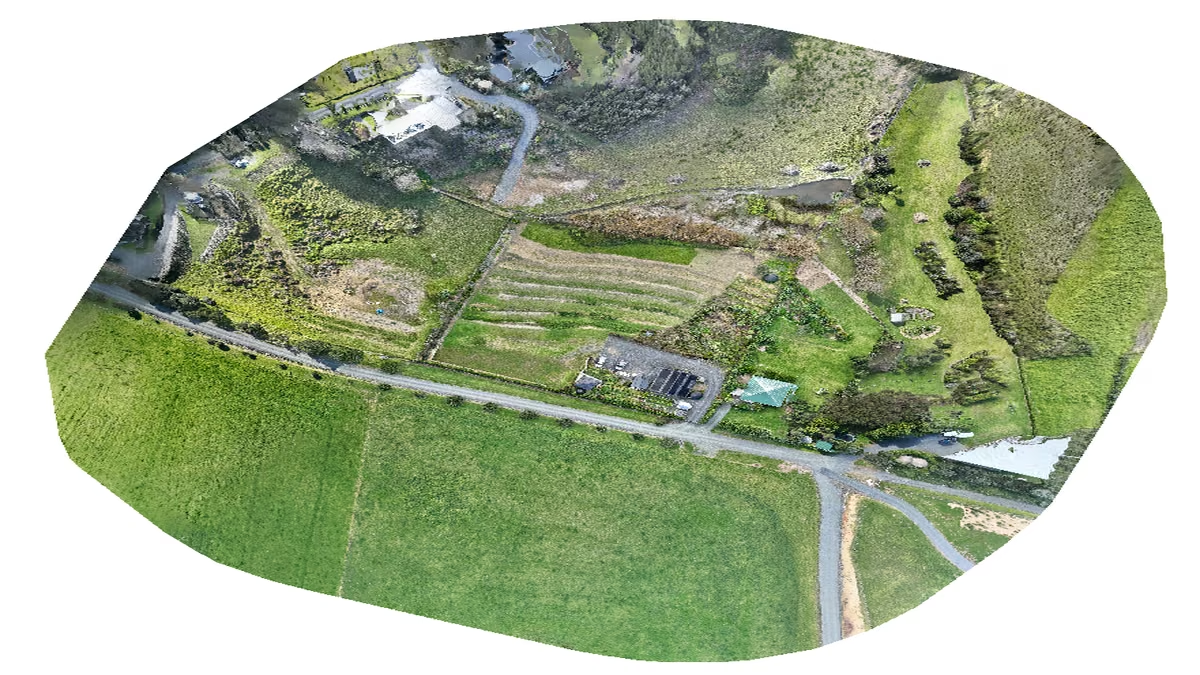
An Azure photogrammetry pipeline for less than two coffees
Phase 2 of my property digital twin turns 743 drone photos into maps and models on an Azure VM that exists as billable compute for about four hours a month.
Discussion
Comments
Loading the discussion for this post.
Leave a comment
Your email stays private. If it matches a Gravatar account, your public avatar can appear after the comment is approved.