
Mark Smith
· 11 min read
Why I'm Building My Own Microsoft 365 CLI for AI Agents
Microsoft retired their Graph CLI. PowerShell is the official answer. But AI agents don't speak PowerShell. Here's why I built a new CLI from scratch, the trade-offs...
Key takeaway
- AI agents need programmatic Microsoft 365 access, but Microsoft's official tools assume a human at a Windows desktop
- For credential-handling tools, Go's compiled binaries beat TypeScript or Python on security auditability
- Building infrastructure yourself teaches you exactly how enterprise integration works, which is expertise you can sell
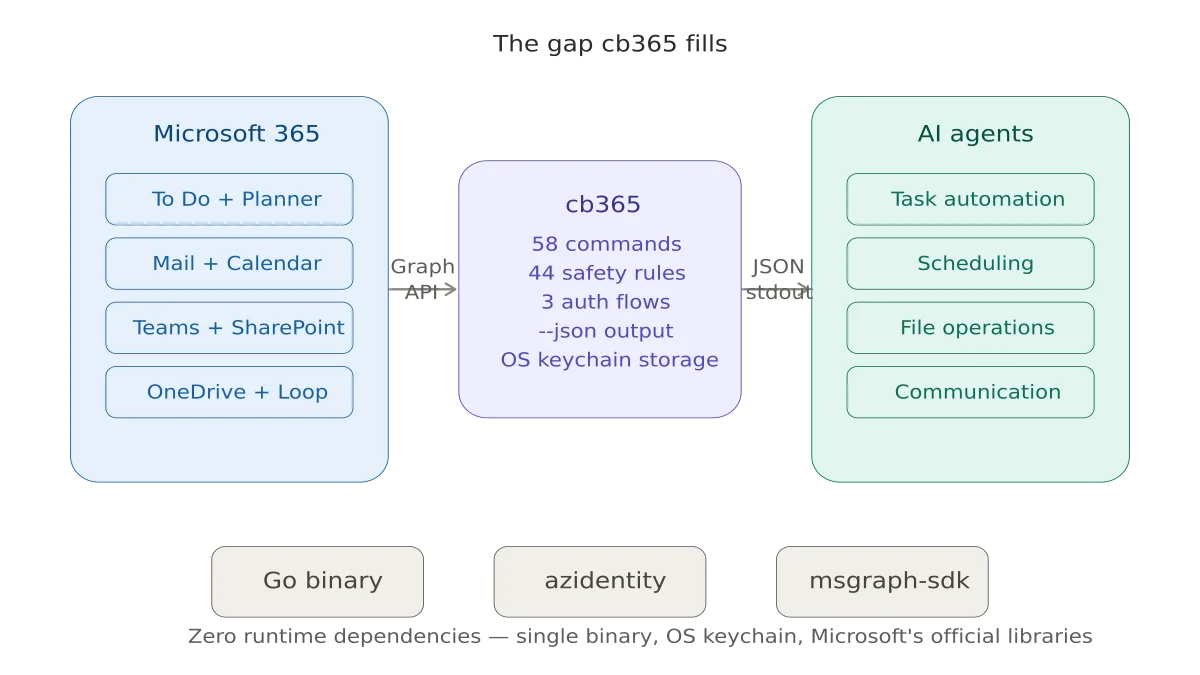
I run a 23-agent AI operating system for my business. These agents handle everything from financial governance to content strategy to client relationship management. They coordinate via Telegram, reason with multiple LLM providers, and operate around the clock on a Linux VM in Azure. There is one thing they could not do until last week: interact with Microsoft 365.
Not because the API doesn't exist. Microsoft Graph is one of the most complete enterprise APIs in the world. But because there was no clean, secure, agent-friendly way to call it from a headless Linux environment. That is the story of why I am building cb365 - an open-source Microsoft 365 CLI for AI agents - and the decisions - some obvious, some agonising - that shaped it.
The Gap: A CLI-Shaped Hole#
In August 2025, Microsoft deprecated their official Graph CLI and archived the repository. Their recommended replacement? The Microsoft Graph PowerShell SDK. PowerShell is excellent for IT administrators running interactive scripts on Windows. It is not excellent for an AI agent on a Linux VM that needs to create a task in Microsoft To Do at 7am without human intervention.
The only other option was MOG, a lightweight open-source CLI written in Go by Jared Palmer. MOG covers the basics - mail, calendar, contacts, tasks, and OneDrive - and it is genuinely good at what it does. I have been using it in production for weeks. But it has gaps. It cannot manage To Do lists, only tasks within them. It has no Planner support. No SharePoint. No Forms. And at version 0.0.2, it is a side project, not a platform.
Meanwhile, Microsoft has been building something far more ambitious. The new Work IQ MCP servers provide agent-native access to Calendar, Mail, and Admin tools through the Model Context Protocol. Agent 365, shipping May 1 with the new E7 licence, adds a governance control plane for AI agents operating within a Microsoft 365 tenant. Microsoft Foundry offers a full agent hosting platform with native M365 integration.
All of this is impressive. And none of it solves the problem I actually have.
Why Not Just Use What Microsoft Is Building?#
Three reasons.
First, the Work IQ MCP servers require a Microsoft 365 Copilot licence. That is $30 per user per month on top of E5, or $99 per user in the new E7 Frontier Suite. For my micro-business, this is manageable. For the broader community of people running self-hosted AI agents - and there are hundreds of thousands of them now, using platforms like OpenClaw - this is a hard barrier. Many of them are on E1 or E3 licences. A CLI that authenticates via standard Entra ID delegated permissions costs nothing beyond the existing licence.
Second, Microsoft's MCP servers are remote, cloud-hosted, and in preview. The entire point of running agents on your own hardware is independence from cloud dependencies. If Microsoft's MCP endpoint goes down at 3am, your agent stops working. A locally installed CLI binary has no such dependency.
Third, coverage. The MCP servers today cover Calendar, Mail, and Admin. To Do, Planner, SharePoint files, and Forms are not yet exposed as MCP tools. That may change in months, or it may take years. I need To Do integration now.
The Honest Counterargument#
I want to be transparent about the risk I identified and almost used as a reason not to build this.
Microsoft is clearly moving toward MCP-native M365 access. Agent 365, Work IQ, and Foundry are all steps on that path. If Microsoft expands its MCP server coverage to include To Do, Planner, and SharePoint - and lowers the licensing requirement - then a third-party CLI becomes less essential. The window of relevance for a tool like cb365 might be 12 to 18 months.
I decided to build it anyway for three reasons. The immediate need is real and unmet today. The tool has value in my own environment regardless of what Microsoft ships. And the process of building it - the architectural decisions, the security considerations, the enterprise integration patterns - is itself valuable expertise that directly serves my consulting practice.
Sometimes the right answer is to build the bridge you need now, knowing the highway is coming later.
Choosing a Language: Security Settled the Debate#
I considered three options.
TypeScript would have been the natural fit for the OpenClaw ecosystem, which is built on Node.js. Distribution via npm, contributor familiarity, alignment with the community I want to serve. Strong arguments.
Python has the best-supported Microsoft Graph SDK, alignment with Microsoft's own Agent Framework, and the broadest developer familiarity. Also strong.
I chose Go. And the reason was security.
This tool handles Entra ID tokens. Those tokens grant ReadWrite access to someone's email, calendar, files, and task lists. A compromised token means full access to a user's Microsoft 365 data. In an enterprise context, that could mean access to the entire tenant.
A compiled Go binary has zero runtime dependencies. There is no node_modules directory with 500 transitive packages, any one of which could be compromised in a supply chain attack. There is no pip dependency resolution at install time. The binary is self-contained: Go standard library, Microsoft's official Azure SDK, and my code. That is the entire attack surface.
When an enterprise security team asks "what is in this binary and how do we audit it?", the answer needs to be short and verifiable. Go gives me that.
There is a real trade-off here. The OpenClaw community thinks in TypeScript. Contributions will be harder to attract. Distribution via go install is less accessible than npm install for many developers. I accept that trade-off because for a tool that handles enterprise credentials, security of the distribution mechanism matters more than convenience of it.
Architecture Decisions#
Token Storage#
MOG stores tokens in a plaintext JSON file with restrictive file permissions. This is common in the CLI tool ecosystem and it is also insecure. If malware can read files owned by your user - and most malware can - those tokens are compromised.
cb365 stores tokens in the operating system's native credential manager. On macOS, that is Keychain. On Windows, the Credential Manager. On Linux with a desktop environment, the secret-service API backed by GNOME Keyring or KWallet. These systems encrypt credentials at rest and integrate with the OS authentication model.
This creates a genuine challenge for headless servers, where no desktop keyring daemon is running. I solved this with an encrypted file fallback using AES-256-GCM encryption, with the key derived from a passphrase provided via environment variable. Never plaintext as the default. The easy path would have been to copy MOG's approach. The right path took longer, but it is done and working.
Authentication Flows#
The tool supports three Entra ID authentication flows, shipped progressively.
Device-code flow — Interactive login with a human at the keyboard. Status: Live. Security: High because the user sees exactly what permissions they are granting.
Client credentials — Unattended automation for scheduled jobs. Status: Next. Security: Medium because app-only permissions are broader and secrets can leak.
Certificate authentication — Production enterprise environments. Status: Last. Security: High because the private key never leaves the machine.
Device-code flow is what shipped first. You run the command, it gives you a URL and a code, you authenticate in a browser. Simple, secure, and the user sees exactly what permissions they are granting. This is live and verified against my Entra ID tenant. The limitation is that it requires a human at the keyboard.
Client credentials (app-only) comes next. This is for unattended automation - scheduled agent jobs that run at 7am without human intervention. It uses a client secret stored in the OS keychain. The security trade-off is real: client secrets can leak, and app-only permissions are broader than delegated ones. A compromised app-only secret with Mail.Read can read every user's mail in the tenant, not just one person's.
Certificate authentication comes last. Instead of a string secret, the app authenticates with an X.509 certificate whose private key never leaves the machine. This is Microsoft's recommended approach for production and it passes enterprise security reviews without pushback. It is also significantly harder to set up, which is why it is not the default.
Output Design#
Every command supports three output modes. --json writes structured JSON to stdout for agent consumption. Human-readable status messages go to stderr. This means cb365 todo tasks list --json | jq '.tasks[].title' works cleanly - the JSON stream is never contaminated with status messages. This sounds like a small detail. For AI agents parsing CLI output, it is the difference between reliable and fragile.
Write Safety#
All write operations support --dry-run to preview what would happen without executing. In non-interactive mode - which is how agents call the tool - write operations require an explicit --force flag. This prevents an LLM that hallucinates a delete command from actually deleting your data. The agent's skill file must explicitly include --force for every write operation, making destructive actions a conscious choice by the skill author, not an accident.
Security: The Thing That Almost Stopped Me#
I need to be direct about something. I am a Microsoft MVP. I co-authored a book on Microsoft 365 Copilot adoption. I advise enterprises on AI strategy. If a tool with my name on it has a security vulnerability that leads to a customer's M365 tenant being compromised, the reputational damage would be severe and deserved.
This is not hypothetical risk. The OpenClaw ecosystem has already surfaced real security incidents. A third-party skill was found that performed data exfiltration without user awareness. A dating platform incident demonstrated what happens when agents are granted broad access without adequate controls. These are not theoretical concerns.
My mitigation strategy has four layers.
Minimise the code I own. Authentication is handled entirely by Microsoft's azidentity library. Token caching uses Microsoft's MSAL library underneath. If there is a vulnerability in the auth flow, it is in Microsoft's code - maintained by their security team, not mine. I do not write custom cryptography. I do not implement my own OAuth flows. I use the official libraries and get out of the way.
CI security scanning on every commit. The GitHub Actions pipeline runs gosec (static analysis for Go security issues) and govulncheck (dependency vulnerability scanning against the Go vulnerability database) on every push. A security regression blocks the build. Both tools run clean today - zero issues, zero unpatched vulnerabilities in the dependency tree.
Progressive disclosure. The tool starts private. Both repositories are private. I use it in my own environment first. The version that eventually goes public starts as v0.1.0 with explicit pre-production disclaimers. There is no v1.0 until the auth module has been externally reviewed.
Scope limitation. The initial release ships read-heavy. The first workload is To Do - low-risk data. Mail sending, file deletion, and SharePoint writes come later, each with additional safety gates. Trust is built incrementally.
Will this be enough? I do not know. But I believe it is responsible, and I would rather build carefully and ship slowly than move fast and put someone's tenant at risk.
What Comes Next#
The authentication foundation is complete. The immediate next step is Microsoft To Do as the first Graph workload, then progressively adding Mail, Calendar, Planner, and SharePoint. Each workload follows the same pattern: build internally, validate in production, extract the generic version, document it.
The longer-term question is more interesting: does this become a community tool, or does it stay an internal one? That depends on two things I cannot predict. How quickly Microsoft expands their own MCP server coverage. And whether the broader agent ecosystem actually needs a Graph CLI, or whether MCP-native access makes CLIs obsolete.
I am building with both outcomes in mind. If Microsoft closes the gap, I have a battle-tested internal tool and a lot of expertise. If the gap persists, I have something the community genuinely needs.
Either way, I am learning exactly how enterprise M365 integration works at the API level, which is exactly the kind of depth my consulting clients need.
Sometimes the most valuable thing you build is not the product. It is the knowledge you acquire by building it.
This is the first post in the Building a Microsoft 365 CLI series. Next: My AI Agent Now Manages My Microsoft To Do.
Related reading#
- AI Agents Getting the Date Wrong? Timezone Configuration in OpenCLAW - How I fixed timezone handling across a 23-agent orchestration platform running on Azure
- Why I Built My Own Model Routing Engine - Replacing static model assignments with an autonomous routing engine for a multi-agent platform
Mark Smith is the founder of Cloverbase, an AI strategy consultancy based in Whangārei Heads, New Zealand.

Mark Smith
Principal AI Counsel · Microsoft AI MVP
Helping people build practical AI skill in the Intelligence Age.
More from nz365guy

What if every marae hosted a piece of the cloud?
A thought experiment in Māori data sovereignty: locally owned micro data centres that return skills, resilience, and a dividend to marae.
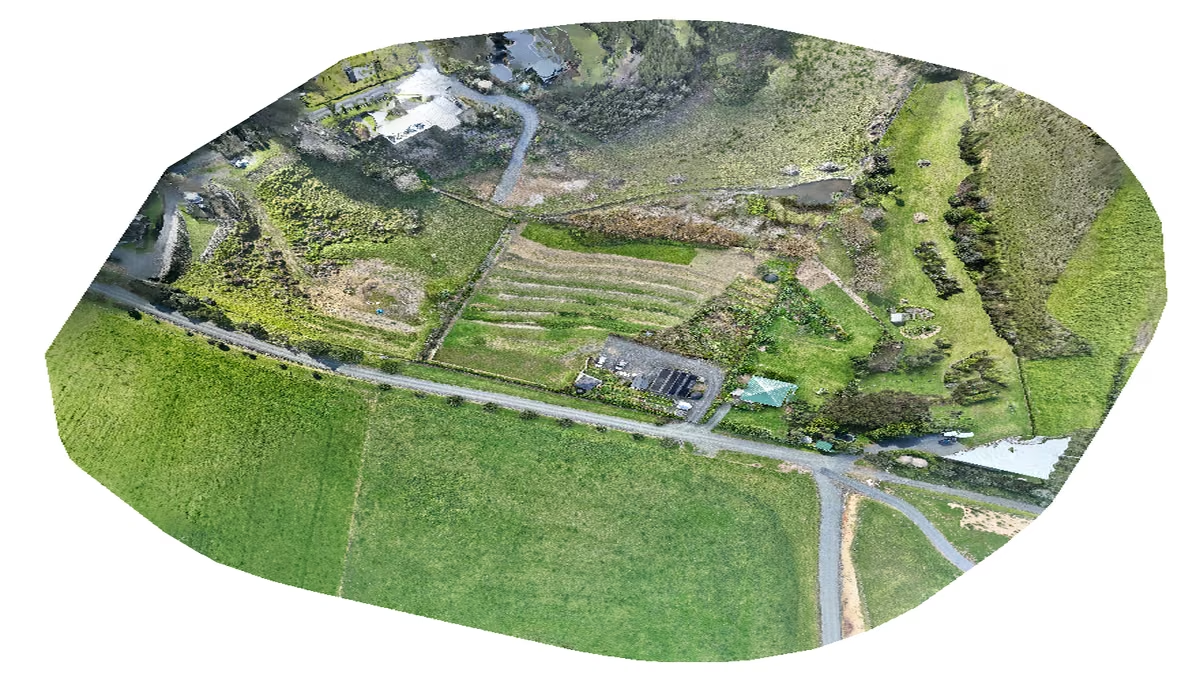
An Azure photogrammetry pipeline for less than two coffees
Phase 2 of my property digital twin turns 743 drone photos into maps and models on an Azure VM that exists as billable compute for about four hours a month.

AI checks every mission file before my drone flies
My consumer Mavic 3 has no SDK, so repeatable survey flights depend on mission files. An AI inspection caught unsafe defaults and a 22.88-metre altitude error before...
Discussion
Comments
Loading the discussion for this post.
Leave a comment
Your email stays private. If it matches a Gravatar account, your public avatar can appear after the comment is approved.