
Mark Smith
· 11 min read
My AI Agent Now Manages My Microsoft To Do - Here's What Actually Happened
I designed a Microsoft 365 CLI for AI agents. Then I built it. The Graph API had opinions about my architecture. Here's the build log - the gotchas, the fixes, and...
Key takeaway
- Architecture diagrams rarely survive first contact with production APIs - the Graph SDK's four-layer credential chain is a good example of enterprise complexity that design documents cannot predict
- Microsoft To Do blocks app-only access entirely, forcing delegated authentication even for automated agents - a limitation that changes your entire token management strategy
- A simple shell script plus a cron timer can bridge AI agents and human task management, connecting two worlds that were previously separate
In my previous post, I explained why I'm building cb365 - a Go CLI that gives AI agents secure, structured access to Microsoft 365 via Microsoft Graph. I covered the language choice, the security architecture, the token storage design, and the honest risk that Microsoft might close the gap before the tool matures.
That post was the blueprint. This one is the build log.
The foundation is now complete. The tool authenticates via three Microsoft Entra ID flows, manages Microsoft To Do lists and tasks with full CRUD, runs integration tests against a live tenant, and feeds a daily task review to one of my 23 AI agents every morning. Here is what actually happened when the design met the API.
Unattended Auth and the Secret That Must Be Stored#
The first milestone shipped device-code authentication - the flow where you visit a URL, enter a code, and sign in. Clean and secure, but it requires a human at the keyboard. For scheduled agent jobs that run at 7:15am, that is not viable.
The next step added client credentials flow. The agent authenticates using a client secret issued by Entra ID, with no human interaction required. The secret is encrypted at rest using AES-256-GCM with a PBKDF2-derived key - the same encrypted file store that handles access tokens. When a token expires, the CLI automatically retrieves the stored secret and re-authenticates. From the agent's perspective, authentication is invisible.
Certificate-based authentication shipped alongside it. Instead of a string secret, the app proves its identity with an X.509 certificate whose private key lives on disk. The CLI reads a PEM file containing both the certificate and private key, supporting RSA, PKCS8, and EC key formats. Microsoft recommends certificate auth for production workloads, and enterprise security teams prefer it because a certificate is harder to accidentally paste into a Slack message than a client secret.
The security gate was straightforward: client secrets must never appear in any output, at any verbosity level, under any circumstances. I wrote a test that calls every output mode - human, JSON, plain, verbose - and greps the combined stdout and stderr for the secret pattern. If it matches, the build fails. It has not matched.
Microsoft To Do and the Graph SDK's Opinions#
This is where the design met reality. To Do was chosen as the first Graph workload deliberately - it is low-risk data, the API surface is well-documented, and the immediate business need was real. My agents tracked tasks in a markdown file. Microsoft To Do is on my phone. These two systems were completely disconnected.
The Graph SDK Client Pattern#
Microsoft's official Go SDK for Graph (msgraph-sdk-go) expects an authentication provider that implements a specific interface chain: credential → auth provider → HTTP adapter → service client. The SDK cannot consume a raw access token directly.
The solution was a StaticTokenCredential - a minimal struct that wraps a pre-acquired access token and presents it as an azcore.TokenCredential. This feeds into Microsoft's kiota authentication provider, which feeds into the HTTP adapter, which creates the service client. Four layers of indirection to pass a string to an HTTP header. Enterprise SDKs are like that. The pattern works, and now every future Graph workload follows the same factory function.
Name-to-ID Resolution#
The Graph API identifies To Do lists by opaque GUIDs - strings like AAMkADY3ZTlhMWFh.... Nobody memorises these. An agent certainly should not have to look them up.
cb365 accepts display names: --list "My Tasks" instead of --list AAMkADY3ZTlhMWFh.... The resolver fetches all lists, matches case-insensitively, and returns the ID transparently. If the input already looks like a GUID (36 characters, 4 hyphens) or a long Graph ID (40+ characters, no spaces), it passes through without an API call.
This is the kind of feature that does not appear in architecture diagrams but makes the difference between an agent that works reliably and one that breaks every time a list is renamed.
Pagination: The Silent Data Loss Bug#
The initial implementation fetched tasks from the Graph API and displayed whatever came back. It worked in testing because my primary list had one task. It would have silently dropped tasks in any list with more than 10 items - the Graph API's default page size.
The fix was adding $top=999 to task list queries, which requests up to 999 items per page. For To Do lists, this effectively eliminates pagination concerns. The proper solution - following @odata.nextLink across multiple pages - is noted for later when dealing with mail inboxes that could contain thousands of items.
This is exactly the kind of bug that only surfaces in production. Every Graph API developer hits it eventually. Better to hit it on To Do tasks than on mail messages.
The Force Guard#
All destructive operations - delete list, delete task - require an explicit --force flag. Without it, the command exits with a clear error message. In interactive use, this is a mild inconvenience. For AI agents, it is a critical safety mechanism.
An LLM that hallucinates a delete command will not accidentally include --force unless the skill file explicitly tells it to. The skill author makes a conscious decision about which operations are destructive, and the CLI enforces that decision at runtime. Defence in depth: the agent's instructions say "be careful," and the tool makes carelessness mechanically difficult.
Three Production Gotchas No Design Document Would Predict#
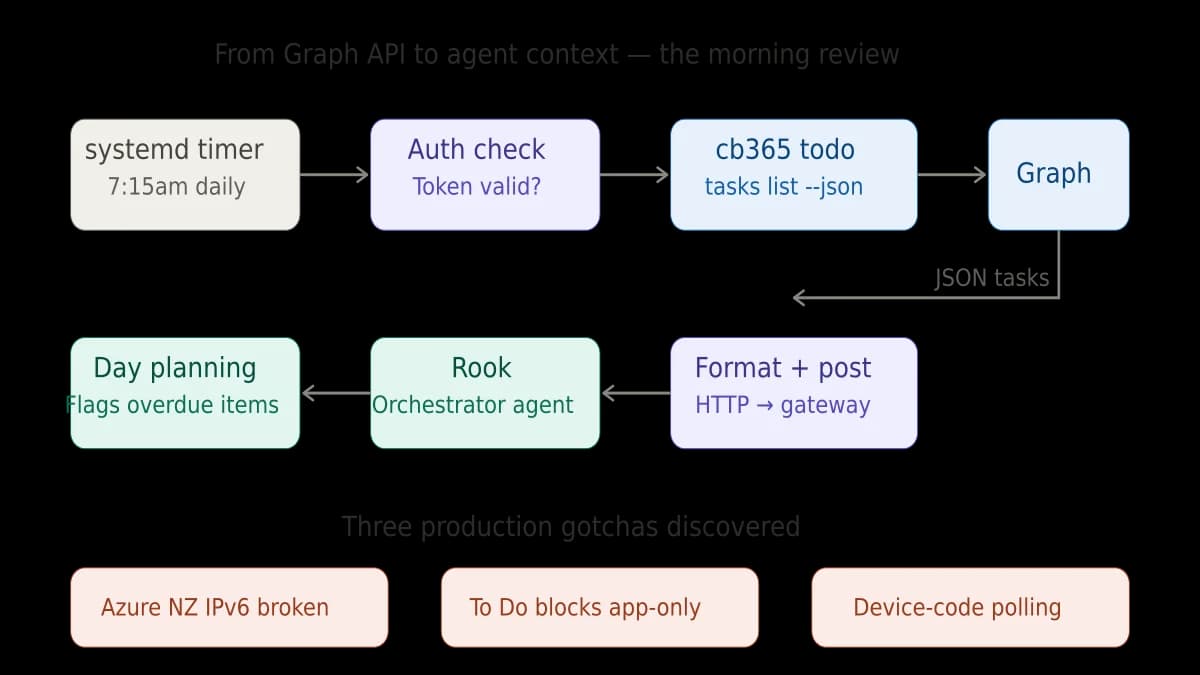
1. Azure NZ North Has Broken IPv6 Egress#
My VM runs in Azure's New Zealand North region. HTTPS calls to Microsoft's authentication endpoints randomly fail - not consistently, not predictably, just often enough to make scheduled jobs unreliable.
The root cause is broken IPv6 egress from this Azure region. When the Go HTTP client resolves login.microsoftonline.com, it gets both IPv4 and IPv6 addresses. If it tries IPv6 first, the connection hangs. This is not documented anywhere that I could find. I diagnosed it by forcing tcp4 in the dial context and watching the failures stop.
cb365 ships with a CB365_IPV4_ONLY=1 environment variable that forces all HTTP connections to use IPv4 exclusively. The custom transport is injected into every Azure SDK client option. This is ugly and I hope it becomes unnecessary, but it has been rock-solid since deployment.
2. Microsoft To Do Blocks App-Only Access#
This one surprised me. The Microsoft Graph documentation for To Do tasks shows both delegated and application permission types. The Entra admin portal lets you grant Tasks.ReadWrite as an application permission. The consent succeeds. And then every API call returns 403 Forbidden.
Microsoft To Do is one of several Graph workloads that only function with delegated permissions - a real user must have authenticated, not just an application identity. This is a deliberate product decision by Microsoft, not a bug, but it is not obvious from the documentation.
The practical impact: my morning task review timer cannot use the app-only client credentials flow for To Do operations. It uses a delegated token instead. Delegated tokens expire in about an hour. If nobody has logged in recently, the timer gracefully skips the review and notifies the orchestrator agent that the token needs refreshing.
This is a genuine limitation. True unattended To Do access will require MSAL refresh token serialisation - persisting the refresh token so it can silently acquire new access tokens without user interaction. That is on the roadmap but not yet shipped.
3. Device-Code Polling From Headless Linux#
The device-code flow has a subtle operational challenge on headless servers. The CLI sends a request to Azure, gets a device code and URL, and then polls Azure repeatedly to check if the user has completed authentication. If you run this interactively via SSH, it works perfectly. If you run it via a background process or through an automation tool with a timeout shorter than the polling interval, the process gets killed before it can retrieve the token.
The user completes authentication in their browser successfully. Azure knows about it. But the CLI process that was waiting for the response is already dead. The token never gets stored.
The fix is operational, not architectural: run the device-code login in a persistent SSH session, not through a tool with a timeout. It is the kind of problem that wastes an hour the first time and zero seconds every time after, once you know.
The Morning Review: Where It All Comes Together#
Every morning at 7:15am, a systemd timer fires a script. The script checks whether the delegated token is still valid. If it is, it calls cb365 todo tasks list --list "My Tasks" --json, formats the results, and sends them to Rook - my orchestrator agent - via the OpenCLAW gateway API.
Rook reviews the tasks, flags anything overdue, and includes them in context for the day's operations. When I pick up my phone, the same tasks are in Microsoft To Do. When Rook plans the day's work, it knows what is on my plate.
This is not a complex integration. It is a shell script, a cron timer, a CLI call, and an HTTP POST. But it connects two worlds that were previously separate: the AI agent's operational context and the human's task management app. That connection is the entire point.
What the Tests Actually Test#
Seven integration tests run against the live Cloverbase tenant. Not mocked. Not stubbed. Real API calls to real Microsoft Graph endpoints.
The test suite covers the full lifecycle: list all To Do lists and verify the count. Create a list, verify it exists, rename it, delete it. Create a task with a title, body, and due date. Retrieve it. Update it. Complete it. Delete it. Verify that name-to-ID resolution finds the right list. Verify that --dry-run prevents actual API calls. Verify that delete without --force is rejected. And verify - across every output mode - that no tokens appear in any output.
Running integration tests against a live tenant is a deliberate choice. Mocked tests verify that your code handles the mock correctly. Integration tests verify that your code handles Microsoft's API correctly. These are different things, and only the latter catches the pagination bug, the permission model surprise, and the IPv6 failure.
The Numbers#
Three milestones. Eleven commands. Seven integration tests. Three authentication flows. 2,290 lines of Go across 11 source files. Zero gosec findings. Zero unpatched dependency vulnerabilities. One encrypted token store. One systemd timer. Eight business tasks migrated from a markdown file to Microsoft To Do.
Time from first commit to daily production use: one day. That number matters. A Go binary with Microsoft's official SDK, proper credential handling, and a full test suite - shipped in a day. Not because the work was trivial, but because the architecture decisions from the foundation created a base that To Do could build on without rework.
What Comes Next#
Next up: Mail, Calendar, and Contacts. When that ships, cb365 fully replaces MOG - the open-source CLI I have been using as a stopgap - and becomes the sole Microsoft 365 interface for the entire agent operating system. That is a significant milestone because it means retiring a dependency and owning the full stack.
The longer-term question from my previous post remains open: does this become a community tool? At this point, I am more confident that it should. The Graph SDK patterns, the IPv4 workaround, the token storage architecture, the force-guard safety model - these solve problems that every developer building M365 agent integrations will encounter. The question is timing, and timing depends on Microsoft's MCP server roadmap.
For now, the tool works. The agent reviews my tasks. The tokens are encrypted. The tests pass against real APIs. And every morning at 7:15, before I have finished my coffee, an AI agent has already read my to-do list and started planning the day.
That is what shipping looks like.
This is part of the Building a Microsoft 365 CLI series. Previous: Why I Built My Own Microsoft 365 CLI. Next: 23 Safety Rules I Built Into a Microsoft 365 CLI.
Related reading#
- Why I Built My Own Microsoft 365 CLI - Part 1 of this series, covering the architecture decisions, security design, and why Go was the right choice for agent-facing tooling
- How I Configure AI Agents to Handle Timezone Logic Automatically - A walkthrough of another production agent integration, showing how Rook handles scheduling across multiple timezones
Mark Smith is the founder of Cloverbase, an AI strategy consultancy based in Whangārei Heads, New Zealand.

Mark Smith
Principal AI Counsel · Microsoft AI MVP
Helping people build practical AI skill in the Intelligence Age.
More from nz365guy
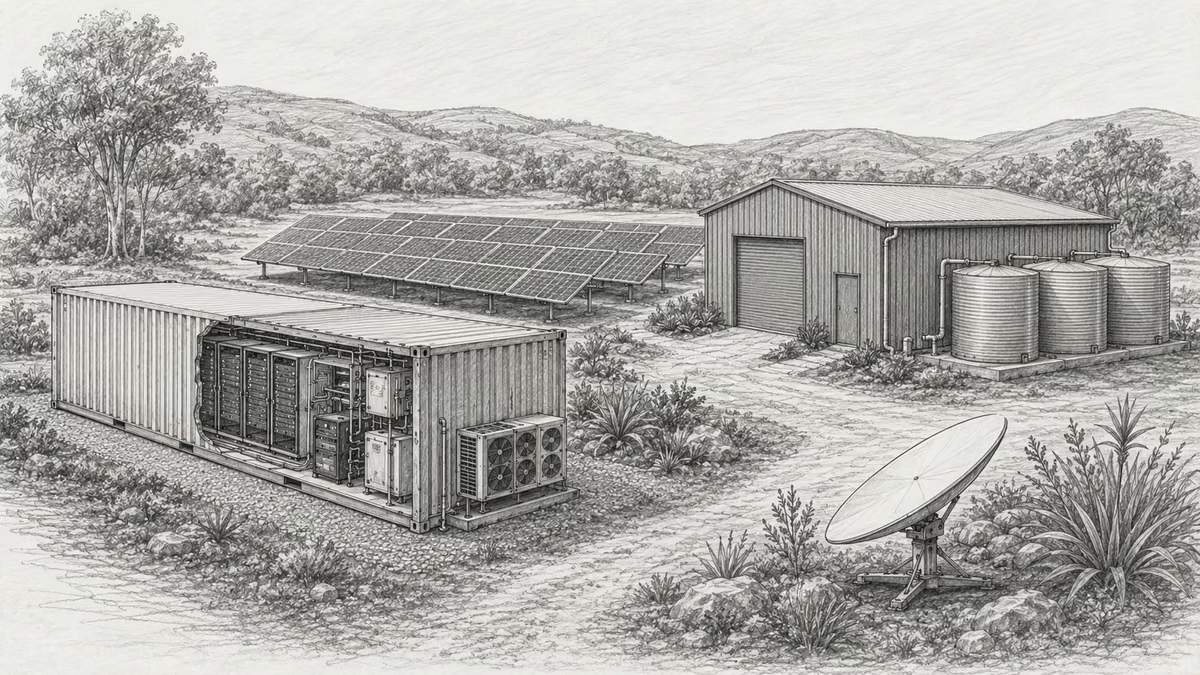
What if every marae hosted a piece of the cloud?
A thought experiment in Māori data sovereignty: locally owned micro data centres that return skills, resilience, and a dividend to marae.
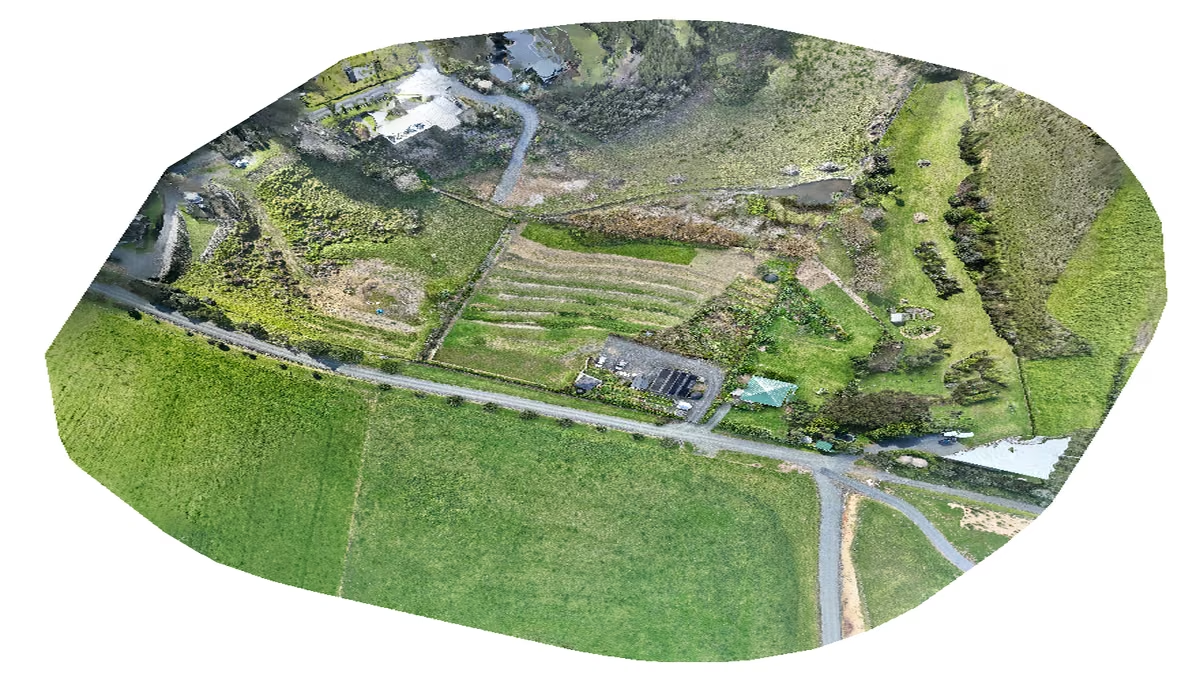
An Azure photogrammetry pipeline for less than two coffees
Phase 2 of my property digital twin turns 743 drone photos into maps and models on an Azure VM that exists as billable compute for about four hours a month.

AI checks every mission file before my drone flies
My consumer Mavic 3 has no SDK, so repeatable survey flights depend on mission files. An AI inspection caught unsafe defaults and a 22.88-metre altitude error before...
Discussion
Comments
Loading the discussion for this post.
Leave a comment
Your email stays private. If it matches a Gravatar account, your public avatar can appear after the comment is approved.